
lmgw, the local model gateway

Your own GPU behind OpenAI- and Anthropic-compatible APIs, with the cloud one alias away.
lmgw is a Linux desktop app. It runs models on your graphics card in Podman containers and serves them on one local port, so tools and SDKs built for OpenAI or Anthropic only need a new base URL.
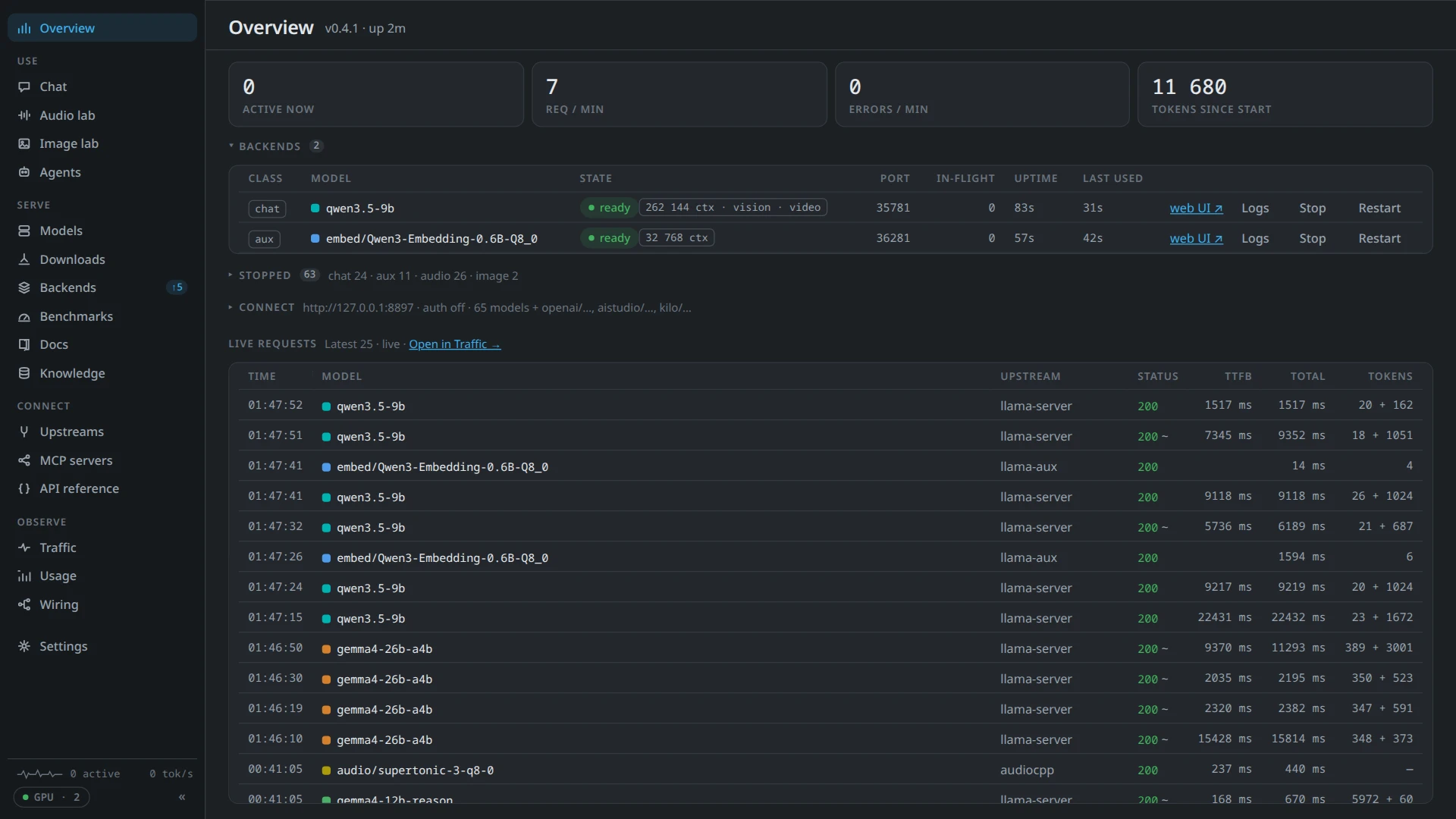
One front door for your models
Local models come first. The cloud is there when you want it, behind the same names, and nothing about a client changes when an alias moves from one to the other.
Your GPU, scheduled
Chat, embedding, rerank, speech and image models each run in their own container on llama.cpp, audio.cpp or stable-diffusion.cpp. They start when a request needs them and share the card by measured VRAM.
Two API dialects, one port
OpenAI's chat completions, responses and embeddings next to Anthropic's messages. Any client reaches any chat model, with streaming, tool calls and reasoning translated both ways.
Cloud behind the same alias
Point an alias at an OpenAI-compatible, Anthropic or Gemini model instead, or give a local model a cloud fallback for the hours the GPU is busy with something else.
Voice
/v1/realtime speaks OpenAI's Realtime protocol, over a WebSocket or WebRTC,
and answers with your own speech-to-text, chat and text-to-speech models. The Chat has dictation, read-aloud and a voice mode.
Set up by a check
At start lmgw checks the graphics card, driver, container toolkit and disk, says what is missing in plain words and can install the toolkit for you. Find a model turns a name or a Hugging Face link into the file that fits your card.
Tools in one place
Your MCP servers behind one /mcp endpoint, plus built-in
tools that search library documentation and your own knowledge bases. Calls can wait for your approval, and
long-running ones report back when they are done.
A desktop app
It lives in the tray and opens its own window, which takes the frame, fonts and colours of KDE Plasma. Bound to your network, the same dashboard works in a browser.
lmgw and its clients
The gateway holds the models. Apps around it are clients of its API, separate programs to install or leave out. Kai brings voice and desktop tools to KDE Plasma, Kai for Firefox lets it work in the browser, and Kai mobile is its Android sibling.

lmgw
Released · v0.7.0The gateway. Runs local models, routes to cloud providers, and serves everything through OpenAI- and Anthropic-compatible APIs, Realtime voice and MCP.
About the gateway →
Kai
Released · v0.3.0A voice client for the Plasma desktop: talk to your models from a global shortcut, keep one ongoing conversation, and let them use the desktop through tools you control. Every model call goes through lmgw.
About Kai →Kai mobile
Alpha · 0.2.0The Android client: talk to your models by voice call or text, in the same ongoing conversation as Kai on the desktop, with notifications and approvals from your gateway. It pairs with lmgw over its device link.
About Kai mobile →Kai for Firefox
First release · 0.1.0A Firefox extension that gives Kai hands and eyes in the browser, and puts lmgw's Chat in a sidebar beside the page. Site rules decide where Kai may read or act.
About Kai for Firefox →Your client
Open APIAnything that speaks the OpenAI or Anthropic API already works. The guide covers models and their capabilities, voice sessions, MCP tools and the headers lmgw adds.
Build on lmgw →Built on an open API
Clients of lmgw get no private channel. The OpenAI and Anthropic dialects, the Realtime WebSocket and MCP are open to any program, and what Kai needed beyond them went in as documented API: the device link with mutual TLS, a Chat feed that also works as a push channel, approvals, late tool results and tools hosted by the device.
The API reference on this site is generated from the gateway's own OpenAPI document, the one a
running lmgw serves at /api/openapi.json.
from openai import OpenAI

# Any key works until lmgw requires gateway keys.
client = OpenAI(base_url="http://127.0.0.1:8787/v1", api_key="unused")

reply = client.chat.completions.create(
    model="my-model",  # an alias you created in lmgw
    messages=[{"role": "user", "content": "Hello!"}],
)
print(reply.choices[0].message.content)